
Many campuses. One login. One version of the truth.
School groups shouldn't need a different system — or a different spreadsheet — for every campus. Switch between branches in a click, give staff access only to their branch, keep branch-wise numbering, and let management see the whole group.
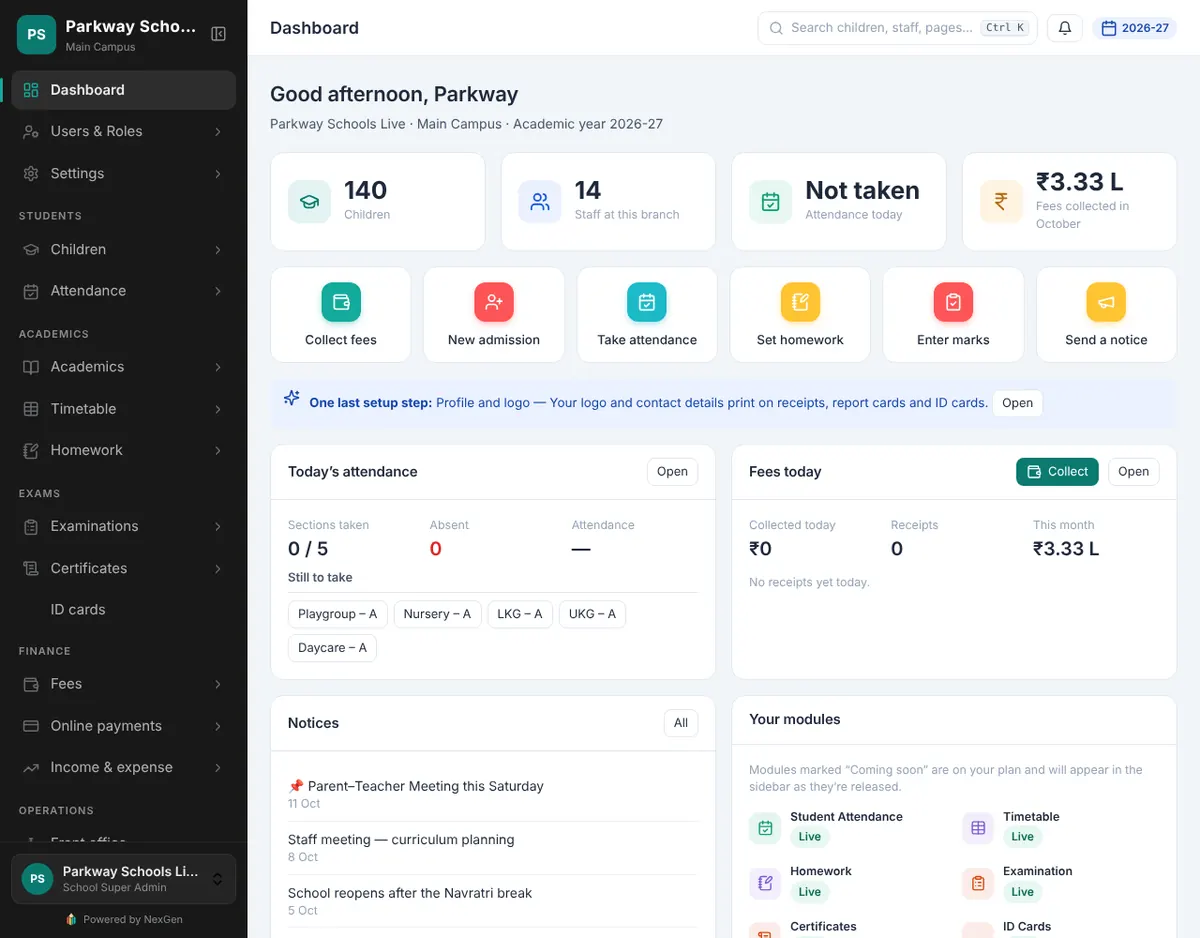
What it fixes
- Each campus reporting numbers in its own format
- Head office waiting on emails for collection totals
- Staff with access to branches they shouldn't see
What changes
Run several campuses from one account — branch switcher, branch roles and group reports.
- Whole-group view.
- Full control of their campus.
- Only what they need.
Everything in Multi-Branch & School Groups
Branch switcher
Move between campuses instantly.
Branch-level access
Staff see only their branch; management sees all.
Branch numbering
Admission and receipt series per branch.
Group reports
Compare collections, strength and attendance across branches.
Shared setup
Fee heads, templates and policies reused across branches.
Up and running in three steps
Add branches
Name, address and numbering.
Assign staff
Branch-specific roles.
Oversee
Group-wide dashboards.
Good for everyone involved
Group management
Whole-group view.
Branch principal
Full control of their campus.
Staff
Only what they need.
Multi-Branch & School Groups — FAQ
Is each branch billed separately?
Pricing depends on total student strength; ask us for a group quote.
Can a parent have children in two branches?
Yes, one parent login can see children across branches.
Works well with
See Nexgen School with your own school's data
A 30-minute online demo, tailored to your school. We'll show the modules you care about — nothing else.